The screenshots on this page are outdated due to the new PCSX2 UI
This page will guide you through the whole process of creating cheats.
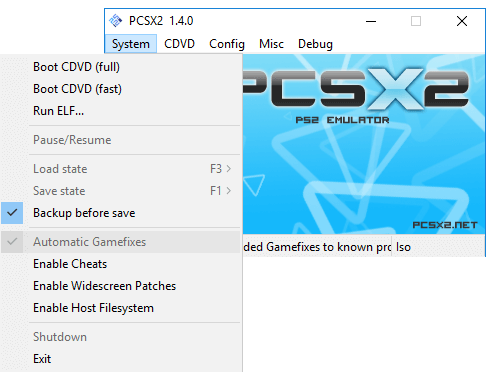
First, enable them by clicking on System->Enable Cheats
Cheats are stored in a .pnach file. These cheat files are stored in "Documents/PCSX2/Cheats/cheat.pnach".
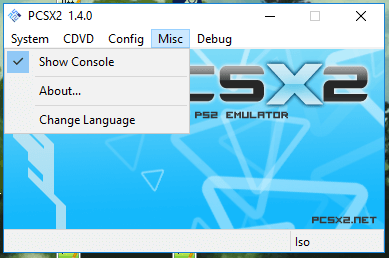
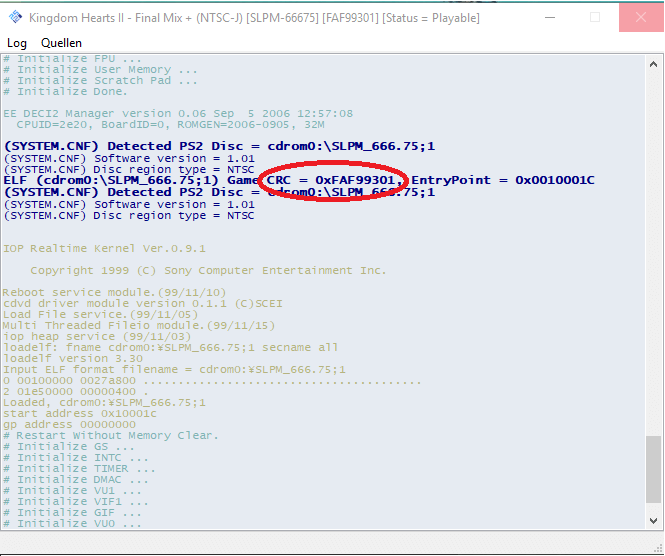
The Name of the .pnach file is the "CRC" of your game. To find your games CRC you just have to enable the console (Misc->Open Console) and start a game.
You will see the ID after starting the game in the console.:
Now you can rename your .pnach file to your CRC, in my case my file would be called "FAF99301.pnach".
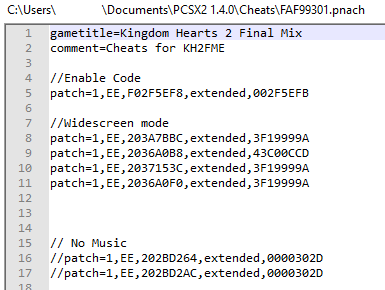
The first 2 lines of your cheat file should contain the name of your game and a comment for it, mine is for example "Kingdom Hearts 2 Final Mix" and the comment is "Cheats for KH2FM". After these 2 lines you can add all your cheats.
Cheats are in the format of patch=1,EE,Code#1, extended,Code#2 and comments can be made with //.